

BMW 8.72.42
Index
| S. No. | Enhancements | Details |
| Scheduler functionality on Batch Entry | Option added on the List view page of Batch Entry screen. |
Enhance visibility of the production schedule – Arrange, control and optimize work and workload in production process to attain maximum efficiency with minimum efforts. See More…
1 Enhancement Details
1.1 Batch Entry – Scheduling Dashboard
Scheduling for production is essential for growing manufacturing processes to take production to the next level. BatchMaster Web now provides a scheduling dashboard on the Batch Entry screen. You can use this scheduling feature to allocate your resources proficiently and efficiently to meet customer requirements.
The scheduling dashboard displays the process cell(s) and its associated batches in a calendar view (Gantt Chart). You can drill down further to view the batch related information in no time, by just clicking the arrow icon adjacent to each process cell.
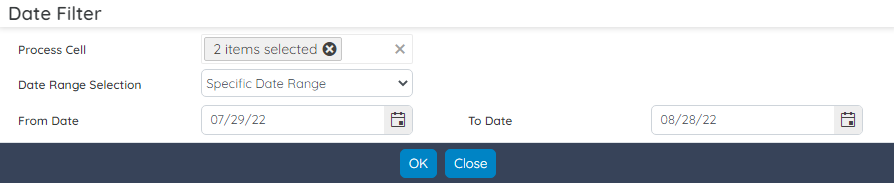
The Scheduling button is available on the listing page of the Batch Entry dashboard. You need to first select the process cell along with the date range selection to fetch the data on date range, current month, current week, or Nth Day wise.
Processing the data provides you an idea of what your process cells are dealing with on a daily, weekly, or monthly basis.
