

BMW 8.72.33
A new set of enhancements to improve and refine the existing product capabilities.
- Index – BMW 8.72.33
| S. No. | Enhancements | Details |
| 1 | Screen | Reason Master |
| 2 | Staging\Sales Drop Zone\Production Drop Zone features | Zone Defaults |
| 3 | UI Changes | Price List Master |
| 4 | Line and Header Action – Reschedule | Batch Ticket |
| 5 | Phone number field support 100 Alphanumeric characters | User Setup |
| 6 | Screen | BOM View Prior Version |
| 7 | Screen | BOM Revert To Prior Version |
- Enhancement Details
- 1 Reason Master
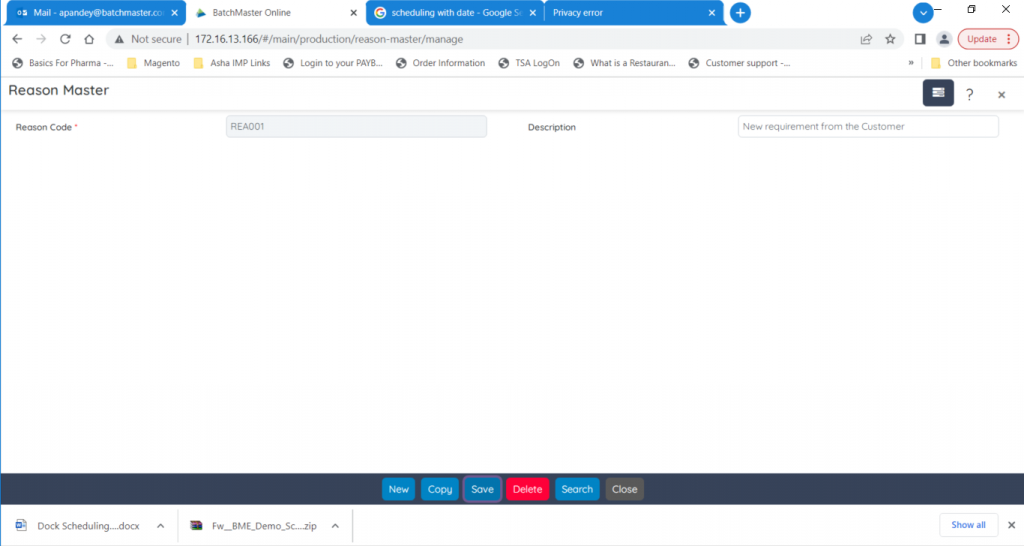
The Reason Master screen help you to maintain the reason codes that can be used while overriding the lots on material picking and staging. The reason codes you define here is used for Production Staging and Picking and Sales Picking operations.
To use this option, you need to set the default values at the Module Setup Screen under the Configuration Module.
- 2 Zone Defaults
A zone location is a specific area or region or section of a warehouse which is restricted for a definite purpose. In BatchMaster Web prior to use the Zone Master screen you need to maintain some default values via the Zone Defaults screen. Here you can set the default values for material staging, dropping, and receiving purposes.

- 3 Price List Master
The Price List Master screen of BatchMaster Web helps you classify desired items under one price list with applicable prices. You can create a price list that can be applied on the Ship To, Customer, Salesperson, and Territory screens.
In this release we have made the GUI Changes i.e., changed the screen layout and design to make it more user friendly.

- 4 Batch Ticket
The Batch Ticket screen now provides you an option to reschedule the batches. You can select multiple batches in a single go or can perform the rescheduling on the individual batches.

- 5 User Setup
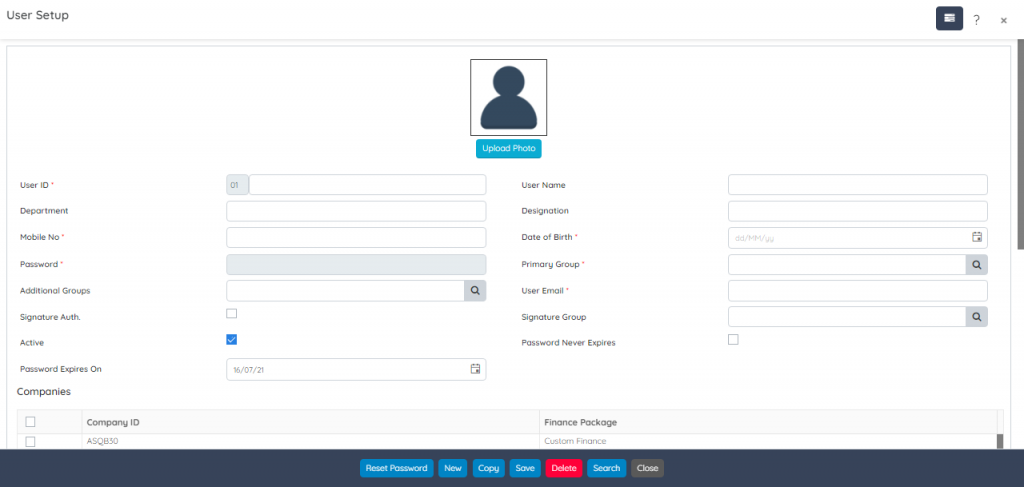
The Mobile Number (Mobile No.) field of the User Setup screen is now enhanced to support 100 alphanumeric characters.
- 6 BOM View Prior Version
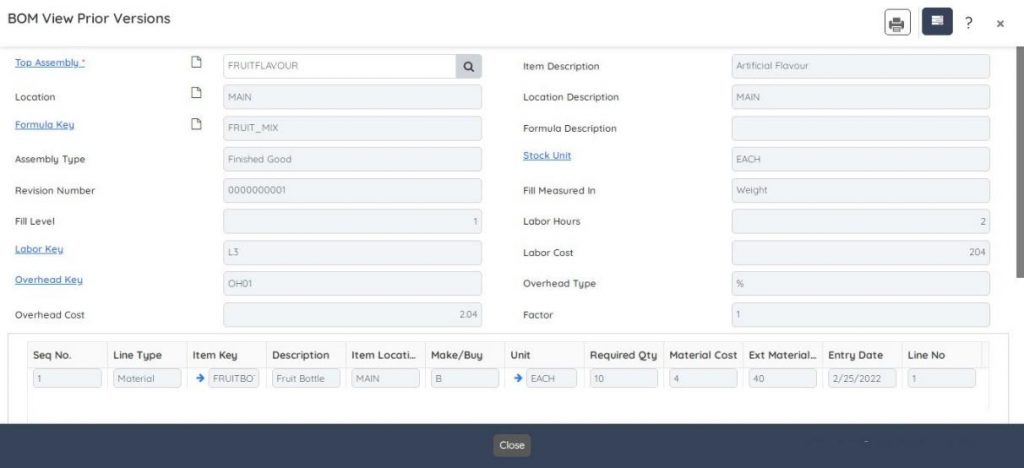
Version history lets you go back and see prior versions of your BOM and how those BOM were defined. With BOM View Prior Version screen you can see previous versions of defined BOMs. This helps you to trace the BOM origin or select a BOM for the creation of a new BOM. As this is a read-only screen so no changes are permitted.
- 7 BOM Revert To Prior Version
BOM Revert To Prior Version lets you to revert to a prior version of the BOM to make it active for use. This is a read-only screen, so no changes are permitted.
