

BMW 8.72.40
| S. No. | Enhancements | Details |
| Drill Down Master | New screen introduced in BatchMaster Web. | |
| Work Flow | New feature introduced in BatchMaster Web. |
Improves product access via implementing user-specific workflow by creating and assigning To-Do activities for the desired BatchMaster WEB screen(s). Also offers a detailed drill-down feature that belongs to any module and screen-specific field(s).
1. Enhancement Details
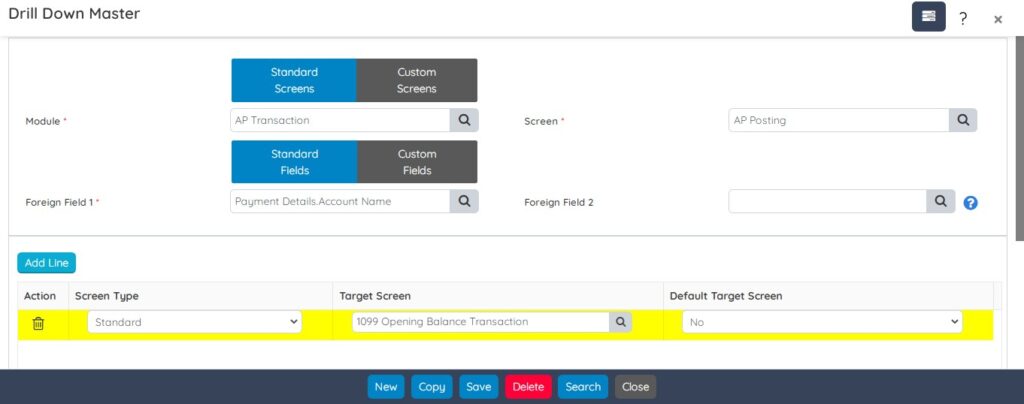
1.1 Drill Down Master
Drill Down automation in BatchMaster Web helps you to examine the data of various screens in a more detailed way. A simplified and classic method of accessing lower-level data in a structured database starting from a higher level. It provides data in the Drill down hierarchy for multidimensional data analysis.
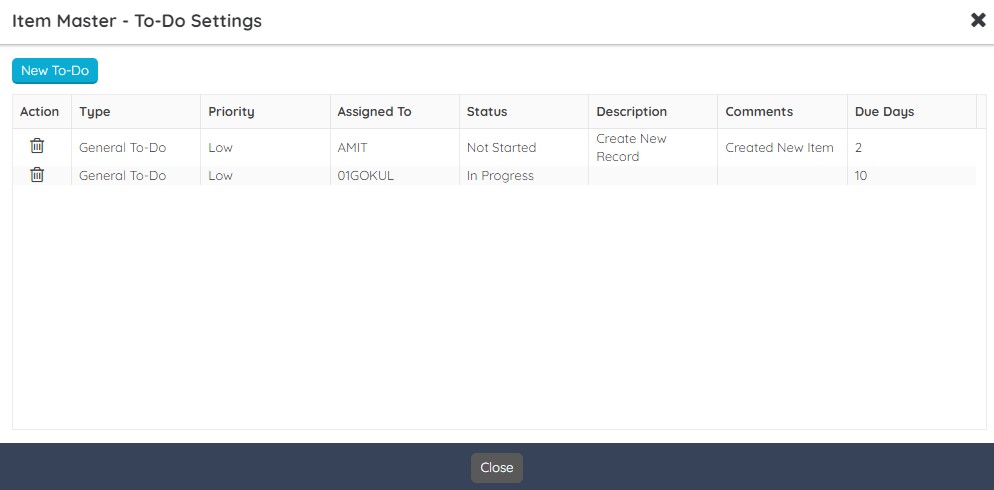
1.2 Apply Workflow
Manage To-Do workflow record(s) from this dashboard on all the master’s and Master Transaction screens of BatchMaster WEB. With this you can easily create / delete / view / modify any To-Do activity with ease.
1.3 Weighing on EBT Issue – Scale Master
EBT screen also supports scale integration. A weighing scale is a device that can be integrated with the BatchMaster WEB to measure an item’s actual weight with accuracy. The measured item weight via the weighing scale acts as an input to the system for precise and accurate result calculations.

For weighing the materials, the system considers the specified lower/upper tolerance percentage of material at Item Master screen – Stocking Description tab, it Warn/Restrict you before submitting the total quantity. The total quantity is calculated as:
Total Quantity = Quantity Already Allocated + Scale Qty (on Weighing Screen UI).

In order to use this scale feature in EBT you need to maintain the scales and its various attributes via Scale Master screen.

1.4 Batch Ticket – Scheduling Dashboard
The Scheduling option on the Batch Ticket screen now supports Date Filter.
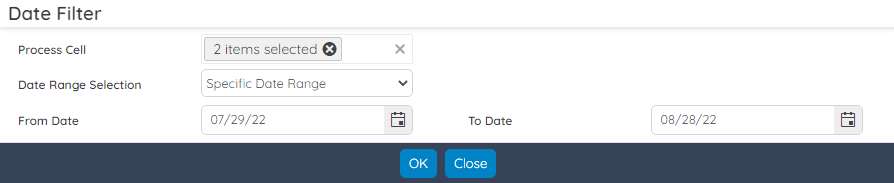
The Scheduling dashboard is a smart way to view process cell(s) in a Gantt Chart. The left pane (with fixed fields) displays the process cell(s) and its associated batches With Schedule dates. You can drill down the related batches by clicking the arrow icon adjacent to the process cells. The right pane supports the calendar view i.e., you can view the data in Day/Week/Month wise.

Index –
| S. No. | Enhancements | Details |
| Report Schedule Setup | Field level enhancements. |
To complement the broad set of business processes and to improve user experience, BatchMaster Web now support enhanced Report Schedule Setup screen. See More…
1. Enhancement Details
1.1 Report Schedule Setup
Simplified Report Schedule Setup screen to improve the usability. This screen is helpful when you require the system to send some selected report to a specific person’s Email ID periodically – on Yearly, Quarterly, Weekly or Daily basis.

Index
| S. No. | Enhancements | Details |
| Report Schedule Setup | Field level enhancements. |
To complement the broad set of business processes and to improve user experience, BatchMaster Web now support enhanced Report Schedule Setup screen. See More…
Enhancement Details
1.1 Report Schedule Setup
Simplified Report Schedule Setup screen to improve the usability. This screen is helpful when you require the system to send some selected report to a specific person’s Email ID periodically – on Yearly, Quarterly, Weekly or Daily basis.

Welcome to BatchMaster WEB. You are on the brink of penetrating the world of management and performance. This section provides information about what is new and what has changed since the last release.
- Index – BMW 8.72.40
| S.No. | Module Name | Screen Name |
| 1 | Book Cash Bank Summary | Book Cash Bank Summary |
| 2 | CSS Changes | CSS Changes in Full Project Input Text Box – Height Decreased Quantity Controls – Height Decreased Date Picker – Height Decreased Grid row – Height Decreased Footer and Buttons – Height Decreased Spaces between two rows – Decreased Kendo Numeric Control – Width adjusted |
| 3 | QC Retain Label Reports | QC Retain Label |
| 4 | Lisam Integration | Lisam Exess Setup ExESS Template Configuration Lisam ExESS Property Mapping Item Master: Insert Upload to Lisam and Print SDS action on list page of Item Master Line and Header Action Formula Entry: Insert Upload to Lisam and Print SDS action on list page of Formula Master, BOM Line and Header Action, Shipment Manage Page. |
| 5 | Batch Close | Batch Close: Default Report, Increase Print on Batch Close List Action |
| 6 | Dock Scheduling | Dock Master |
| 7 | Task Setup | Show Task for This Record Activity Activity, To Do |
| 8 | Scale Master | Scale Master |
| 9 | Production Scheduling | Batch Ticket: Date filter increase, Date range selection and process cell selection |